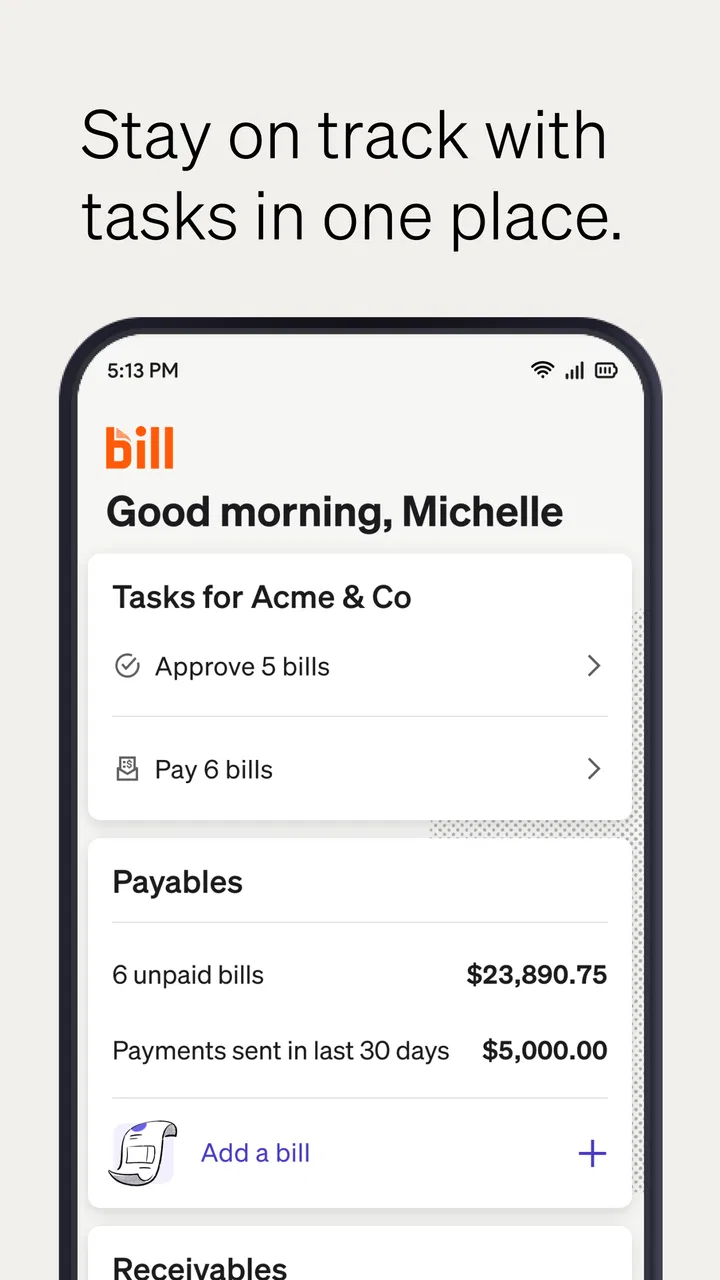
BILL AP & AR Business Payments
- 4.3
- Rating
- 500.00K
- Installs
- Free
- Price

 Analysis by App-foxy
I found BILL AP & AR Business Payments most useful when I treated it as a mobile control point for routine business payments rather than as a complete accounting system. Its purpose is straightforward: help a business pay bills and receive money online, with the practical advantage of handling those tasks away from a desktop. In my experience, that focus makes it appealing to owners and finance staff who need to keep transactions moving during a busy day, but it also means the app is not automatically the right answer for every company.
The app sits in the business category and comes from Bill.com Inc. It is free to install, has an Everyone age rating, and has built a sizeable audience, with more than half a million installs. Its average rating is 4.3 from roughly 7,500 ratings, supported by about 1,500 written reviews. Those figures suggest a generally positive reception, although I would still judge it by the way your payment workflow operates rather than by its popularity alone.
How BILL AP & AR Business Payments works in everyday business use
I find this section’s key question is whether a phone is a sensible place for your business’s payment routine, not whether it can replace every finance tool you use. I’d begin by deciding which tasks genuinely need to happen between desk sessions and which deserve a fuller review on a larger screen; that distinction makes it easier to judge where BILL fits before comparing it with other approaches.
You May Also Like

 Blood Strike: 2.5 Anniversary
Blood Strike’s Loadouts Turn Every Drop Into a Tactical Gamble
A close look at Blood Strike’s custom loadouts: how fast access to signature weapons reshapes its battle royale rhythm, rewards preparation, and narrows the gap between fights.

 Pandora - Music & Podcasts
Pandora’s Music Is Easy to Start, but Harder to Recover
Pandora’s strength is its low-effort path from a seed to a station. Its weak spot is how much confidence it asks you to place in connection, setup, and quiet recovery.

 8 Ball Pool
8 Ball Pool Is Built on Rivalries, Rematches, and Routine
A close look at the rivalries, rematches, shared routines, and unanswered safety questions that turn a quick pool match into a persistent mobile community.

 Samsung Music
Samsung Music’s Quiet Strength Is Playing What You Already Own
Its reach comes less from spectacle than from dependable access to a personal library. That simplicity is both the app’s strongest retention engine and its ceiling.

 AccuWeather: Weather Radar
AccuWeather Review: A Quick, Clear Forecast for Everyday Decisions
For everyday plans, the best forecast is the one you can understand quickly. AccuWeather makes rain timing, radar, and local conditions easy to act on, with a few trade-offs.

 Hill Climb Racing
Why Hill Climb Racing Still Turns Crashes Into One More Run
A tiny car, a bumpy hill and one more upgrade: Hill Climb Racing keeps resurfacing because its simple chaos makes every near-miss feel personal.
More From Our News Desk



A practical mobile companion for accounts payable and receivable
The name BILL AP & AR points to the app’s central split. “AP” concerns accounts payable: the bills your business needs to settle. “AR” concerns accounts receivable: money your business needs to collect. That distinction matters because many small companies manage both sides with separate habits, spreadsheets, email threads, and banking sessions. Bringing the two directions into one business-focused app can make the day feel less fragmented.
I would not describe it as a casual bill-payment tool for personal expenses. The useful mindset is to open it when you are checking what the company owes, following up on incoming money, or trying to keep a payment task from waiting until you return to the office. The app’s store summary, “Easily pay bills and get paid online,” is brief, but it captures the main reason to use it: reducing the distance between seeing a financial task and acting on it.
A realistic example is a small consultancy owner who spends the morning visiting a client. A supplier sends an invoice while the owner is away, and a customer payment also needs attention. Instead of collecting notes for later, the owner can use the mobile app as part of the same workday routine. That does not eliminate the need for careful review, but it can prevent ordinary payment administration from becoming a backlog.
Where the strongest value appears
The biggest strength is concentration. A business payment workflow is rarely difficult because one individual action is mysterious; it becomes difficult because several small actions are scattered across inboxes, bank pages, accounting tools, and conversations. A dedicated BILL app gives those tasks a more obvious home. I found that especially valuable for people who are responsible for finance without being full-time finance professionals.
The mobile format also changes when administrative work can happen. A desktop workflow encourages batching: open everything at the end of the day, process a group of bills, then check incoming payments. A phone-based workflow is better suited to short review moments. That can be useful when a business owner has ten minutes between appointments or a bookkeeper wants to check the day’s outstanding work without opening a full workstation.
There is a subtle trade-off here. Convenience is not the same as speed at any cost. Payment information deserves a deliberate review, and a smaller screen can make it easier to tap through a task without thinking about the details. I recommend using the app to keep work moving, but not treating mobile access as a reason to skip verification. The best workflow is quick for routine items and slower for unfamiliar amounts, new recipients, or unusual requests.
Useful habits that make the app more effective
One of my strongest recommendations is to separate “review” from “approve” in your personal routine, even if both actions are available close together. First look at the bill or payment context, then pause before completing the transaction. This simple habit reduces the risk of handling a message or invoice while distracted. It is particularly important when you are working from a phone in a public place or between other tasks.
A second useful approach is to use the app as a daily exception checker rather than constantly opening it without a plan. Start by looking for items that are new, overdue, unexpected, or waiting for attention. Routine items can follow the normal process, while exceptions deserve a closer look. This makes the mobile experience more valuable because it focuses your limited time on decisions that actually need judgment.
For accounts receivable, I would pair the app with a simple follow-up rhythm. Check which incoming payments require action, identify the customer or transaction involved, and note what needs to happen next. The app can support the payment side of that process, but your business still needs a clear habit for customer communication and reconciliation. Technology helps most when it reinforces a process that already makes sense.
A third insight is that mobile payment access works best when responsibilities are already clear inside the business. If several people share financial duties, decide who reviews, who approves, and who follows up before relying heavily on the phone workflow. Otherwise, the app may make access easier while leaving ownership unclear. That is a management problem, not an interface problem, but it directly affects whether the app feels organized or confusing.
What the app does better than ordinary alternatives
The usual alternative for a small business is a mixture of online banking, email, spreadsheets, and perhaps an accounting package. That combination can work, especially for a very small operation with only a few monthly bills. Its weakness is the amount of manual coordination involved. Someone has to find the invoice, confirm its status, arrange the payment, record what happened, and remember to check incoming money separately.
BILL AP & AR Business Payments is more appealing when the business has outgrown that informal approach but does not want every finance task to depend on a desktop. Its identity is clearer than a general banking app because it is built around business payment activity. Compared with an accounting application, its appeal is more immediate action: paying and getting paid are placed at the center instead of being one part of a much broader bookkeeping environment.
That comparison also reveals when another option may be better. If you mainly need detailed accounting reports, inventory management, payroll, tax preparation, or a broad ledger, a full accounting platform may be the more suitable primary tool. If your business has very few transactions and your bank already handles everything comfortably, adding another payment app may create more steps than it removes.
Limitations I noticed in the mobile approach
The first limitation is screen size. Financial work often involves checking names, dates, amounts, and context together. A phone is convenient, but it is not always the best place to compare several records or investigate a complicated discrepancy. When something looks unusual, I would rather move to a larger screen or the company’s established review process than force the entire investigation through a mobile interface.
The second limitation is that convenience can encourage overconfidence. An app that makes a payment task accessible does not make every payment request trustworthy. Businesses still need internal checks for altered invoices, duplicate requests, unfamiliar recipients, and rushed instructions. BILL AP & AR Business Payments can fit into those controls, but it cannot replace good financial judgment.
There is also a learning curve for teams. A sole proprietor may understand the workflow quickly, while a growing company may need to agree on how mobile access fits with existing bookkeeping and approval habits. If one person uses the app and another keeps a separate spreadsheet, the business can end up with two versions of the truth. Before rolling it out widely, I would define which system is used for the official record and how completed actions are checked.
Another point is that the app’s value depends heavily on your need for online business payments. Someone looking only for personal bill reminders will probably find the business focus unnecessary. Likewise, a company that wants a complete financial command center should not choose it simply because paying bills and collecting money are important. The app has a clear lane; it is strongest when you stay in that lane.
Who should use it, and who should skip it
I think the best audience is a small-business owner, independent professional, or finance team member who regularly handles both outgoing bills and incoming payments. It is especially suitable for people who are away from a desk during parts of the day and want a business-specific way to keep payment work from piling up. The free price also makes it easy to test whether the workflow suits your company before making it part of your routine.
It may also suit a growing team that has started to feel the strain of informal payment administration. When invoices arrive through several channels and customer payments need regular attention, a focused app can provide a more consistent place to begin the day. The important word is “begin.” I would still connect its use to your bookkeeping process, approval rules, and reconciliation habits rather than treating it as an isolated solution.
I would be more cautious if your business has complex financial operations, strict multi-step controls, or a strong dependence on detailed desktop reporting. In those cases, the app may still be useful for checking or handling selected tasks, but it should not be assumed to replace the broader tools your finance team already relies on. The right choice may be a combination of systems, with this app serving the mobile payment portion.
It is also not ideal for someone who dislikes managing business finances from a phone. If you prefer to inspect every document on a large display, compare records side by side, and complete all approvals in one scheduled session, mobile access may offer little practical benefit. The app’s convenience matters only if it matches the way you actually work.
Version, availability, and the installation decision
The current version is 3.7.171, and the app supports operating system version 9 or later. That minimum requirement makes it relevant to many users who keep an older phone in service, although I would still check that your device is updated and suitable for secure business use before installing it. A business payment app deserves a phone that you can protect, update, and keep under your control.
It was released on December 16, 2015, so this is not a brand-new experiment in the business-app space. The long presence gives it a more established feel than a freshly launched tool, while the current version shows that the product continues to be maintained. I would still spend time testing the exact workflow with a low-risk, familiar task before making it central to daily operations.
The app is free and rated for Everyone, but those two facts should not be confused with “risk-free” or “effortless.” Free installation removes a financial barrier to trying it; it does not remove the need to understand how it fits your company’s records and responsibilities. I would install it when the potential time saved is meaningful, not merely because the download costs nothing.
My verdict after weighing convenience against control
BILL AP & AR Business Payments is a focused mobile option for businesses that need to keep money moving while away from a desk. I like its clear emphasis on accounts payable and receivable, its suitability for short work sessions, and the way it can bring scattered payment duties into a more recognizable routine. The strongest use case is a small or growing business that wants more structure than email and spreadsheets but does not need a mobile app to become its entire accounting department.
My reservation is equally clear: mobile convenience should support financial controls, not weaken them. The app is less convincing for businesses that need deep reporting, complex accounting, or a highly formal desktop approval environment. It also requires users to bring their own discipline to verification, record-keeping, and team responsibilities.
If you regularly pay business bills, monitor incoming money, and lose time because those tasks wait until you reach a computer, I think this app is worth trying. Start with a defined workflow, decide who owns each step, and use the phone for review and action rather than careless tapping. If your needs are broader than online payments, compare it with a full accounting platform before committing. For the right audience, it is a practical business companion; for everyone else, its narrow focus is precisely why it may not be enough.
FAQs for BILL AP & AR Business Payments
01What is BILL AP & AR Business Payments used for?
BILL AP & AR Business Payments is a business finance platform designed to help companies manage accounts payable and accounts receivable in one place. After reviewing its workflow, the main functions include paying vendor bills, sending invoices, tracking payment status, automating reminders, and organizing transaction records. It is aimed primarily at businesses rather than personal budgeting users.
02Can I use BILL AP & AR Business Payments to pay bills and receive payments?
Yes. The platform supports both sides of the business payment process. Companies can use it to schedule or send payments to vendors, while accounts receivable tools help them create invoices and collect money from customers. Depending on the selected plan, payment method, business verification, and recipient requirements, available options, processing times, and transaction fees may vary.
03Is BILL AP & AR Business Payments safe for business transactions?
BILL is built for business financial workflows and includes account controls, payment tracking, verification procedures, and transaction records intended to reduce manual errors and improve oversight. However, users should still protect login credentials, enable available security features, verify vendor banking information independently, and review payment approvals carefully. No payment service can completely eliminate risks such as fraud or incorrect account details.
04Does BILL AP & AR Business Payments work for small businesses and accounting teams?
The service can be useful for small businesses, growing companies, and accounting departments that want to centralize invoice and bill management. Its value is especially noticeable when several people need approval permissions, payment visibility, or access to organized records. Before downloading or subscribing, businesses should compare supported accounting integrations, user roles, pricing, payment limits, and features included in each plan.
05Are there fees or requirements for using BILL AP & AR Business Payments?
Using BILL may involve subscription costs, transaction fees, expedited payment charges, foreign exchange costs, or other fees depending on the service and payment method selected. Businesses may also need to complete identity verification and provide company or banking information before sending or receiving payments. Because pricing and eligibility can change, review the current terms and fee schedule before committing to the platform.
Pros
- Streamlines invoice creation
- tracking
- and payment management in one place.
- Supports faster business payments and may improve cash-flow visibility.
- Reduces manual paperwork through digital billing and accounts receivable tools.
- Centralizes customer and transaction records for easier financial follow-up.
- Useful for businesses seeking a dedicated payments and invoicing workflow.
Cons
- May require time to configure workflows and business payment settings.
- Advanced features could be more useful to larger or growing businesses.
- Payment availability may depend on supported regions
- banks
- or currencies.
- Users may need to verify data carefully before sending invoices or payments.
- A stable internet connection is important for accessing cloud-based features.

BILL AP & AR Business Payments
Gallery